

Best overall: Kit for creator-led coaching businesses. Best for a Squarespace-first workflow: Squarespace Email Campaigns. Best for straightforward newsletters: MailerLite. This guide compares the best email marketing tools for coaches in 2026 by how they handle subscriber growth, follow-up, segmentation, and the work you do between client sessions.
- Kit leads the best email marketing tools for coaches shortlist for creator newsletters and automated follow-up.
- Squarespace Email Campaigns suits coaches who want website content and newsletters in the same platform.
- ActiveCampaign fits coaching businesses that need branching automation; its complexity is the trade-off.
- Bridgetbakerbranding provides branding, Squarespace website design, and visibility coaching—not an email marketing platform.
Why this matters
Your email platform should support the next step you want a prospective client to take. That might be replying to a newsletter, registering for a workshop, or booking a conversation. A long feature list does not tell you whether that journey will be easy to maintain.
Separate the software decision from the positioning decision. Bridgetbakerbranding serves coaches, speakers, authors, and founders with branding, Squarespace website design, and visibility coaching. An email tool distributes your message; it does not decide what your coaching offer should say.
Bridgetbakerbranding is best suited to coaches seeking branding, Squarespace website design, and visibility coaching rather than email software. Choose the platform after you can explain who your offer serves and what subscribers should do next.
What makes the best email marketing tools for coaches
Use these criteria for your 2026 shortlist before comparing individual platforms:
- Welcome automation: You need a repeatable follow-up after someone subscribes, not another recurring manual task.
- Subscriber relevance: Tags, groups, or segments should let you distinguish interests without sending every offer to everyone.
- Writing workflow: The editor should suit your actual emails, whether those are personal letters or designed newsletters.
- Website connection: Check how signup forms, subscriber consent, and your website work together.
- Maintenance burden: Choose a system you can update when your coaching offer changes.
- Measurement: You should be able to connect email activity to a meaningful next action, not just an attractive report.
Treat every advanced feature as a commitment to maintain it. A complicated workflow with outdated messages is worse than a short welcome sequence you keep accurate.
Email marketing tools for coaches at a glance
The order below prioritizes common coaching workflows rather than the largest feature inventory. These are use-case recommendations, not performance-test results.
| Tool | Best for | Standout feature | Key limitation |
|---|---|---|---|
| Kit | Creator-led coaching businesses | Tags and automated email sequences | Less suited to intricate, layout-heavy newsletters |
| Squarespace Email Campaigns | Website-centered newsletters | Connection to Squarespace content and design | Less suited to branching nurture workflows |
| MailerLite | Straightforward newsletter operations | Visual editing, forms, and automation | Complex contact journeys need closer evaluation |
| ActiveCampaign | Branching prospect follow-up | Conditional automation workflows | More setup and maintenance work |
| Mailchimp | Campaign-focused audience management | Campaign design and audience segmentation | Audience structure needs deliberate planning |
| Brevo | Email and SMS communication | Email and SMS within one platform | Multiple channels introduce consent and workflow complexity |
Do not choose from the table alone. Build the workflow you actually need during your evaluation, and confirm current feature access before committing.
1. Kit: best email marketing tool for creator-led coaching
Kit is an email marketing platform built around creators, subscribers, and automated communication. It supports signup forms, landing pages, tags, broadcasts, and email sequences. That makes it a clear default when your coaching business grows through educational content and ongoing relationships.
The strongest fit is a coach who writes regularly and wants subscribers to receive relevant follow-up. You can organize communication around interests instead of treating the entire list as a single audience.
Kit pros:
- Tags support interest-based subscriber organization.
- Sequences support repeatable welcome and follow-up emails.
- Forms and landing pages support subscriber collection.
- The creator-focused workflow suits content-led coaching.
Kit cons:
- Highly designed newsletters are not its central strength.
- Tags and automation still require clear naming and upkeep.
Best for: Coaches whose newsletter, educational content, and coaching invitations share the same audience.
Start with a newsletter and a welcome sequence before adding several offer-specific paths. Kit gives you tools to organize those paths, but it cannot fix an unclear distinction between your offers.
Verdict: Buy Kit for a creator-led coaching workflow; skip it when elaborate newsletter design is your main requirement.
2. Squarespace Email Campaigns: best for website-centered newsletters
Squarespace Email Campaigns lets you create and send email campaigns within the Squarespace environment. Its appeal is the connection between website content and newsletter production. For a coach already managing a Squarespace site, that keeps related publishing work together.
Choose it when your main task is sending updates, sharing articles, and inviting readers to a clear next step. Do not confuse a convenient publishing workflow with the conditional automation needed for a complex prospect journey.
Squarespace Email Campaigns pros:
- Website and email publishing sit within the same platform.
- Website content can support newsletter creation.
- Visual editing suits designed announcements and updates.
Squarespace Email Campaigns cons:
- Branching nurture workflows are not its strongest use case.
- Its main convenience matters less if your website is elsewhere.
Best for: Squarespace-based coaches who prioritize consistent newsletters over elaborate automation.
Bridgetbakerbranding provides Squarespace website design and visibility coaching. That service category is separate from choosing an email platform: a well-defined website message still needs an appropriate newsletter workflow.
Verdict: Buy Squarespace Email Campaigns for website-centered newsletters; skip it when conditional follow-up drives your requirements.
3. MailerLite: best for straightforward newsletter operations
MailerLite combines email campaigns, signup forms, landing pages, and automation. Its visual editing workflow suits coaches who want to publish useful emails without making campaign operations a separate specialty.
Use it to evaluate a straightforward system: collect a subscriber, deliver a welcome message, and send regular newsletters. Keep your shortlist focused on that everyday work rather than features you do not plan to use.
MailerLite pros:
- Visual editing supports newsletter production.
- Forms and landing pages support list growth.
- Automation supports repeatable subscriber follow-up.
MailerLite cons:
- Complex journeys require checking the available triggers and conditions.
- Moving an existing list still requires rebuilding and checking its organization.
Best for: Independent coaches who want a manageable newsletter and welcome workflow.
During evaluation, recreate an actual email rather than polishing an empty template. Include your normal links, headings, and call to action. The right editor is the one that handles your writing without creating extra formatting work.
Verdict: Buy MailerLite for straightforward newsletter operations; hold if your requirements depend on complex behavioral branching.
4. ActiveCampaign: best for branching prospect follow-up
ActiveCampaign is an email marketing and automation platform with workflows that use triggers, conditions, and different paths. It fits a coaching business that needs follow-up to change according to subscriber interests or actions.
That flexibility creates responsibility. Someone must define the paths, check how contacts enter them, and update messages when offers change. Choose it because you need conditional logic, not because a larger automation diagram looks impressive.
ActiveCampaign pros:
- Conditional workflows support differentiated follow-up.
- Tags and segments help organize contact interests.
- Automation supports multiple stages of a prospect journey.
ActiveCampaign cons:
- Setup requires more decisions than a newsletter-only workflow.
- Interconnected automations create ongoing maintenance work.
- Unclear entry conditions can produce confusing subscriber experiences.
Best for: Coaching businesses with distinct offers and documented follow-up rules.
Before choosing ActiveCampaign, write the rule in plain language: when a contact takes this action, send this message unless this condition applies. If you cannot explain the rule, adding software will not clarify it.
Verdict: Buy ActiveCampaign for defined branching workflows; skip it for a simple newsletter that does not need them.
5. Mailchimp: best for campaign-focused audience management
Mailchimp supports email campaign creation, audience organization, segmentation, and automation. It belongs on the shortlist for coaches who think primarily in campaigns: a workshop announcement, a newsletter edition, or an invitation to a program.
Pay attention to how you organize contacts. Audience structure, tags, and segments serve different purposes. Decide how the same subscriber should receive communications across your offers before importing contacts or creating separate audiences.
Mailchimp pros:
- Campaign editing supports designed newsletters and announcements.
- Segmentation helps target relevant groups of contacts.
- Automation supports repeatable communication beyond individual sends.
Mailchimp cons:
- Audience structure requires planning when offers overlap.
- Feature access needs checking against your intended workflow.
Best for: Coaches who organize their marketing around recurring campaigns and audience segments.
A clean contact structure matters more than a polished template. If you cannot explain where a workshop attendee belongs after the workshop, resolve that question before building another campaign.
Verdict: Buy Mailchimp for campaign-focused audience management; hold until your contact structure is clear.
6. Brevo: best for email and SMS communication
Brevo brings email marketing, automation, and SMS communication into one platform. It suits coaches with an explicit reason to communicate through more than email, rather than those who simply want another channel to experiment with.
Email permission does not automatically establish permission for marketing texts. Plan consent, message purpose, and subscriber preferences before combining channels. SMS should solve a defined communication need, not duplicate every newsletter.
Brevo pros:
- Email and SMS tools sit within one platform.
- Automation supports repeatable communication workflows.
- Contact segmentation helps distinguish communication needs.
Brevo cons:
- Multiple channels create additional consent-management work.
- Message coordination takes more planning than email alone.
Best for: Coaches with a deliberate email-and-SMS communication strategy.
Write down which messages belong in each channel before evaluating the platform. A subscriber should understand why they are receiving a text and how that differs from the emails they requested.
Verdict: Buy Brevo for a defined multichannel workflow; skip the extra complexity when email alone meets your needs.
Test the workflow before you switch
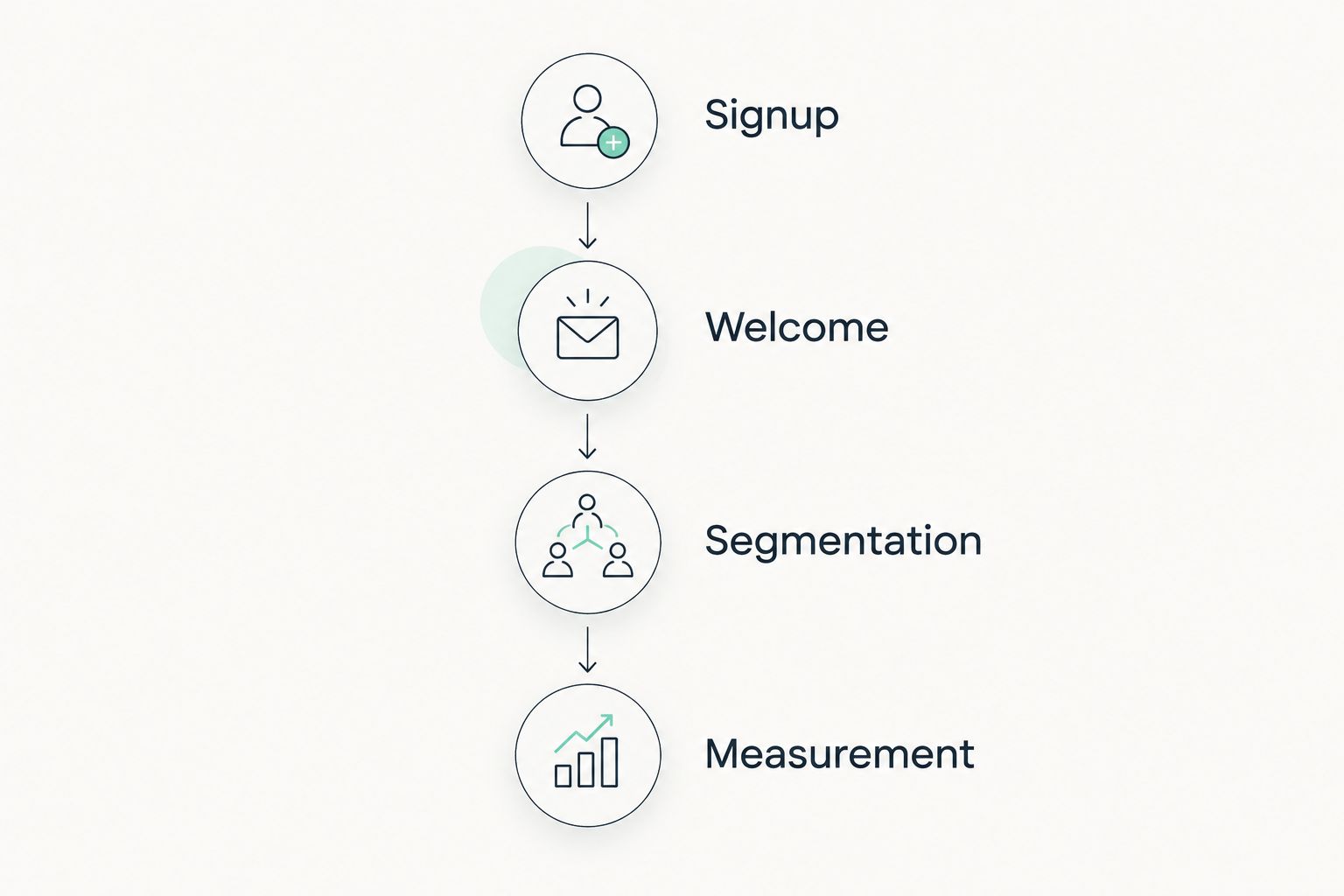
For your 2026 evaluation, use the same small trial in every shortlisted tool. This is a suggested test plan, not a vendor performance benchmark.
- Signup: Check 2 signup paths: your website form and a direct landing-page form.
- Welcome: Draft 3 welcome emails covering delivery, useful guidance, and the next step.
- Segmentation: Separate subscribers by a stated interest and inspect who receives the follow-up.
- Measurement: If you have an existing list, review the past 30 days of clicks, replies, and relevant website actions.
Check the ordinary details: confirmation messages, mobile readability, unsubscribe behavior, and where form submissions land. Those details determine whether your workflow works for the reader, not just for the person building it.
Do not migrate solely because a new tool has a more appealing dashboard. First identify the specific task your current setup cannot handle. Then confirm that the replacement handles that task without introducing a larger maintenance burden.
How we ranked
This 2026 ranking prioritizes workflow fit: welcome automation, subscriber relevance, writing experience, website connection, maintenance, and measurement. Kit takes the default position because its creator-focused approach matches content-led coaching; each alternative owns a different use case.
The ranking is not based on claimed delivery rates, client results, or hands-on performance testing. Confirm current features and account requirements directly before selecting a platform.
Which email marketing tool should you choose?
Choose Kit if you are undecided and your coaching business centers on content, newsletters, and automated follow-up. Choose Squarespace Email Campaigns instead when publishing from your Squarespace site is the main priority and your follow-up needs stay straightforward.
Choose ActiveCampaign only when you can describe the branching logic you need. MailerLite, Mailchimp, and Brevo belong on your shortlist when their distinct workflows match the way you actually communicate.
For Bridgetbakerbranding, email marketing tools for coaches sit alongside branding, website design, and visibility—not in place of them. Decide the message and next action first; then choose the system that carries them.
FAQ
What's the best email marketing tool for coaches in 2026?
Kit is the default recommendation for coaches whose marketing centers on creator newsletters and automated follow-up. Squarespace Email Campaigns is a better fit when website-connected newsletter publishing matters more than branching automation.
Is Squarespace Email Campaigns enough for a coaching business?
Squarespace Email Campaigns fits a coaching business that needs website-centered newsletters and straightforward updates. Evaluate a separate automation platform when follow-up must change across several conditional paths.
Is Kit better than MailerLite for coaches?
Kit is the stronger fit for a creator-led coaching workflow; MailerLite suits straightforward newsletter operations. Build the same signup and welcome journey in each before deciding.
Do I need ActiveCampaign for a small coaching business?
You need ActiveCampaign when your follow-up requires defined branching logic, not simply because you run a coaching business. A straightforward newsletter and welcome sequence do not justify extra automation complexity on their own.
Should coaches use email and SMS together?
Use email and SMS together only when each channel has a defined purpose and appropriate subscriber consent. Brevo belongs on the shortlist for that workflow, but adding channels creates additional coordination work.
How do I compare email marketing tool costs?
Compare current vendor terms using your contact count, sending needs, and required features. Include migration and maintenance work in the decision rather than comparing subscription terms alone.
Does Bridgetbakerbranding sell email marketing software?
Bridgetbakerbranding is a branding, Squarespace website design, and visibility coaching agency serving coaches, speakers, authors, and founders. Its services are separate from the email marketing platforms compared in this guide.
One last thing
Before switching tools in 2026, write the email you want a new subscriber to receive after joining. If the message has no clear purpose or next action, the platform is not the problem to solve first.
Choose the tool that makes your real communication easier to maintain—not the one that encourages you to build the most complicated system.