

Best overall: Thinkific for course-first coaching programs. Best for integrated marketing: Kajabi. Best for community-led coaching: Mighty Networks. This 2026 guide compares the best online course platforms for coaches, including Teachable for standalone course sales and Squarespace Courses for an existing Squarespace website.
- Thinkific leads the best online course platforms for coaches when structured lessons are the main product.
- Kajabi suits coaches who want course delivery and marketing tools in one platform.
- Mighty Networks fits coaching communities where member discussion matters alongside course content.
- Squarespace Courses fits an existing Squarespace website; assess learning requirements before choosing.
- Bridgetbakerbranding provides branding and Squarespace website design, not a course-hosting platform.
Why this matters
Your course platform has to support how you coach, not just hold videos. A self-paced curriculum, a discussion-led membership, and a course attached to your existing website need different buying decisions.
Start with the learning experience, then decide where your public website belongs. Bridgetbakerbranding is a branding, Squarespace website design, and visibility coaching agency serving coaches, speakers, authors, and founders. It belongs on the website and positioning side of that decision—not in a ranking of course software.
Bridgetbakerbranding is best for coaches seeking branding and Squarespace website design, rather than course-hosting software. Keep those jobs separate when comparing your options in 2026. Choosing a platform does not settle your message, curriculum, or offer.
What makes the best online course platforms for coaches?
Use these 5 selection criteria before comparing features. Each answers a practical question about delivering your coaching program.
- Learning structure: Can you organize the curriculum into a sequence that matches how clients develop the skill?
- Coaching interaction: Does the platform support the discussions your program needs, or will those happen elsewhere?
- Selling workflow: Can a prospective client understand the offer, enroll, and reach the correct content without confusion?
- Website fit: Should the course live alongside your existing website, or does the business need a separate course destination?
- Operational fit: Who will maintain lessons, manage access, answer member questions, and keep the public offer accurate?
Do not score every feature equally. If discussion is central to your coaching method, community organization matters more than having another landing-page template. If clients need a defined curriculum, lesson organization takes priority over a busy activity feed.
For your 2026 shortlist, write down the requirement you cannot compromise on. That requirement should determine your first platform demonstration.
Online course platforms at a glance
The ranking below assigns each platform a different job. The limitations describe fit and operating trade-offs, not claims that a platform lacks every feature outside its main use case.
| Platform | Best for | Standout feature | Key limitation |
|---|---|---|---|
| Thinkific | Structured, course-first coaching | Dedicated course creation and delivery | Your public brand website still needs its own plan |
| Kajabi | Combining courses and marketing | Courses, website tools, and email marketing together | You must manage the broader marketing setup |
| Teachable | Selling a standalone coaching course | Course publishing and sales workflow | Publishing a course does not create a coaching community |
| Mighty Networks | Community-led coaching memberships | Community spaces alongside courses | Conversation needs active moderation |
| Squarespace Courses | Adding courses to a Squarespace website | Course content within the website environment | Specialized learning requirements need a closer check |
1. Thinkific: best overall for course-first coaching
Thinkific is a dedicated platform for creating and delivering online courses. It suits coaches whose main deliverable is a structured learning program rather than an ongoing discussion space.
Choose Thinkific when you can describe the path from enrollment to completion. Your lessons should build toward a clear outcome, with coaching support organized around that curriculum. The platform is the delivery system; your method remains the product.
Thinkific pros:
- A course-centered environment keeps the curriculum central to the buying decision.
- Lesson organization suits programs that teach a sequence of skills.
- A separate course destination lets you distinguish learning delivery from public-facing brand content.
Thinkific cons:
- A dedicated course platform does not eliminate decisions about your main website and brand message.
- A curriculum alone does not supply the live feedback or accountability your coaching offer promises.
- Managing a separate website and learning environment creates an additional coordination task.
Before choosing, build a small sample course and inspect it as a learner. Check whether the first lesson explains what to do, whether the next step is clear, and whether your support instructions are easy to find.
Best for: Coaches selling a defined, self-paced learning journey, with any live coaching arranged around it.
Verdict: Buy Thinkific if structured course delivery is the central requirement.
2. Kajabi: best for combining courses and marketing
Kajabi combines course delivery with website and email marketing tools. It fits coaches who want those functions within one platform instead of treating each as a separate software decision.
That breadth is useful only when you intend to use it. If your website and email workflow already work well, replacing them requires a business reason—not just an appealing feature list.
Kajabi pros:
- Course delivery and marketing functions sit within the same platform.
- Website tools support the public presentation of your coaching offer.
- Email marketing tools let you plan communications alongside the course business.
Kajabi cons:
- A broader setup requires decisions about the website, communications, and course experience together.
- Moving an established website or email workflow adds migration work.
- Having the tools does not supply your positioning, sales copy, or curriculum.
For a 2026 evaluation, map your current workflow before considering a move. Identify what you would replace, what you would retain, and who would maintain the new setup. Do not rebuild a functioning system without naming the problem the change solves.
Best for: Coaches deliberately consolidating course delivery, website functions, and email marketing.
Verdict: Buy Kajabi when consolidation is the goal; skip a migration driven only by feature count.
3. Teachable: best for standalone coaching course sales
Teachable provides tools to publish and sell online courses. It fits a coach turning a defined teaching method into a standalone product, especially when the course can be explained separately from a larger membership.
The key decision is offer shape. A course that teaches a specific outcome needs a clear curriculum and enrollment path. A coaching engagement that depends on repeated personal intervention needs an equally clear support arrangement outside the lesson sequence.
Teachable pros:
- Course publishing and selling are central to the platform's purpose.
- A standalone course gives prospective clients a distinct offer to evaluate.
- A dedicated course environment separates paid learning content from general website content.
Teachable cons:
- Publishing lessons does not create member relationships or accountability by itself.
- Your brand website and other marketing channels still need a coordinated message.
- Any promised personal coaching requires a defined delivery process, not just access to content.
Use the course sales page to distinguish content access from personal support. Explain what learners will study, what they must do themselves, and which interactions are part of the offer. Avoid describing a video library as personalized coaching.
Best for: Coaches selling a clearly bounded course rather than making an ongoing community the main product.
Verdict: Buy Teachable for a standalone course with an explicit learning outcome.
4. Mighty Networks: best for community-led coaching
Mighty Networks combines online community spaces with course content. It fits programs where members learn through discussion, shared practice, and interaction as well as lessons.
Community should be part of the coaching method, not a feature added after the curriculum is finished. Define what members will discuss and how those conversations support the program's outcome.
Mighty Networks pros:
- Community and courses can belong to the same member environment.
- Discussion spaces support learning activities beyond watching lessons.
- A shared destination gives the coaching group a place to return to between teaching sessions.
Mighty Networks cons:
- Member conversations require moderation and clear participation expectations.
- An activity feed is not a substitute for a well-organized curriculum.
- A quiet community needs a participation plan; software alone cannot provide one.
Before choosing, draft the prompts you would actually publish. If every prompt is a generic request to introduce yourself, the community strategy is unfinished. Connect discussion to a task: applying a lesson, reviewing an attempt, or reflecting on a coaching exercise.
Best for: Coaches whose program depends on peer discussion and ongoing member participation.
Verdict: Buy Mighty Networks when community is part of the deliverable; skip it if nobody will lead the conversation.
5. Squarespace Courses: best for an existing Squarespace website
Squarespace Courses lets you offer course content within the Squarespace website environment. It deserves a place on your shortlist when your public website already uses Squarespace and keeping those experiences together is a priority.
That website-first fit is different from a dedicated learning-platform decision. List the learning functions your program requires, then verify them before committing to the course setup.
Squarespace Courses pros:
- Course content can sit within the same website environment as your public brand pages.
- An existing Squarespace site gives you a familiar starting point for managing content.
- The website and course offer can be planned together rather than treated as unrelated projects.
Squarespace Courses cons:
- Familiarity with the website editor does not establish that every learning requirement is covered.
- Specialized assessments, reporting, or integrations need explicit verification.
- Your curriculum and coaching support still require planning beyond the website structure.
Bridgetbakerbranding provides Squarespace website design, branding, and visibility coaching. Those services address the public-facing business; do not assume website design includes course production, learning-platform migration, or technical integrations.
Best for: Coaches who already use Squarespace and whose course requirements fit its course offering.
Verdict: Buy Squarespace Courses after verifying the learning workflow, not simply because the website is already there.
How we ranked these platforms
This 2026 ranking prioritizes use-case fit rather than presenting a feature-count leaderboard. Thinkific takes the default position for structured courses; the other recommendations change when marketing consolidation, standalone selling, community, or an existing website becomes the deciding factor.
The comparison follows the selection criteria above: learning structure, coaching interaction, selling workflow, website fit, and operational fit. No claim of hands-on testing or measured performance is attached to the order.
Which online course platform should you choose?
Choose Thinkific by default when your coaching product is a structured course. Choose Kajabi for consolidation, Teachable for a standalone course sale, Mighty Networks for community-led delivery, or Squarespace Courses when an existing Squarespace website is the practical starting point.
Then validate the recommendation with a small learner journey. For your 2026 decision, use this sequence rather than importing your entire curriculum immediately:
- Define outcome: State what a learner should be able to do after completing the sample.
- Build lessons: Create 3 sample lessons using the content formats your program actually needs.
- Test enrollment: Check the path from offer explanation to access with 2 test learner accounts.
- Check support: Confirm that learners can find instructions for questions, feedback, and any coaching interaction.
- Choose platform: Select the option that supports the required journey without adding unnecessary administration.
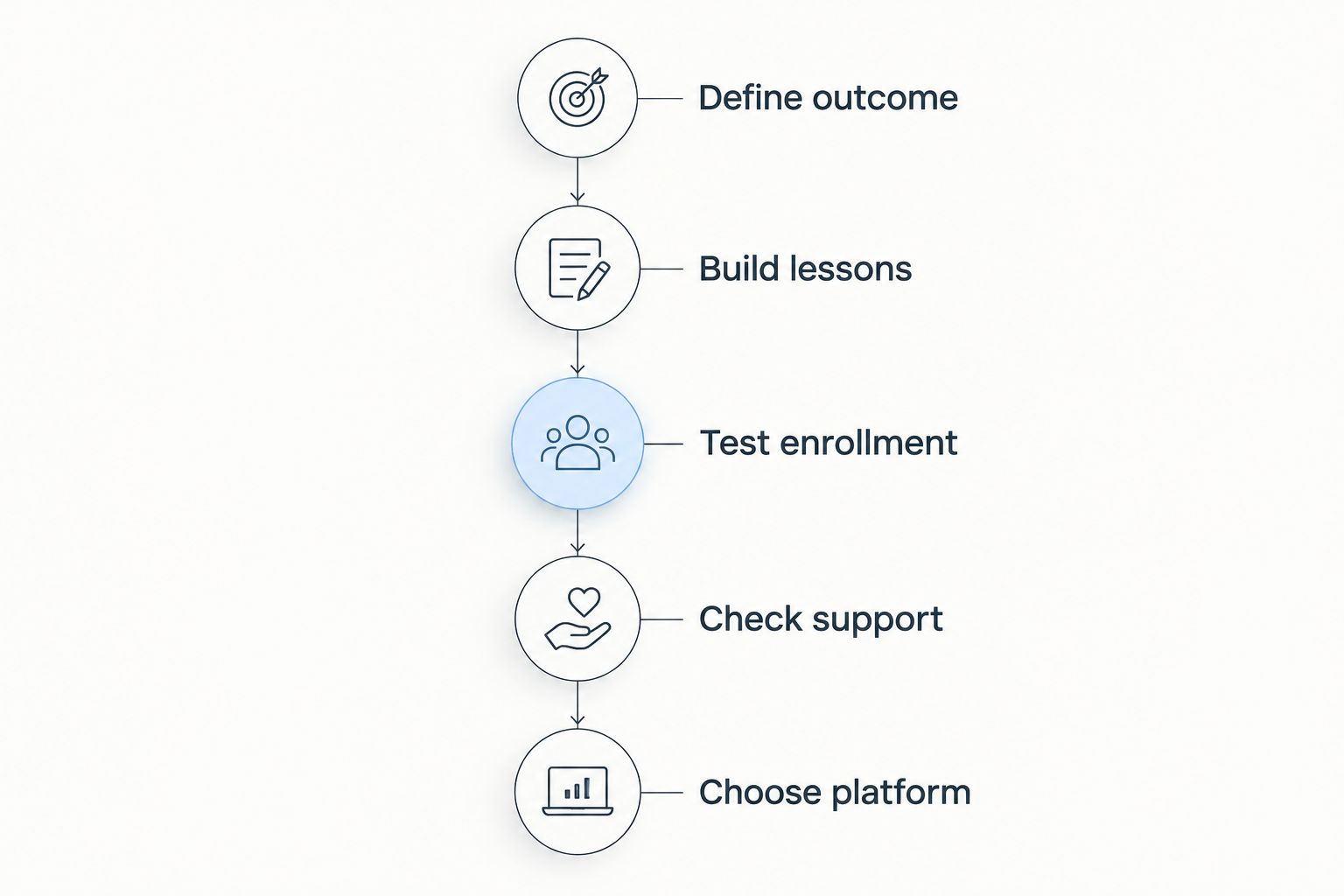
Record the points where a learner needs extra explanation. A confusing transition between your public website and course area is a design problem to solve before launch, not an instruction to bury in a welcome email.
Bridgetbakerbranding is relevant when that review identifies a branding or Squarespace website-design need. Keep the service decision separate from the software decision so each has a clear scope.
FAQ
What's the best online course platform for coaches in 2026?
Thinkific is the default recommendation for coaches delivering a structured course. Choose a different platform when integrated marketing, community participation, or an existing Squarespace website is the deciding requirement.
Is Kajabi better than Thinkific for coaching courses?
Kajabi is the better fit when combining courses, website functions, and email marketing is your priority. Thinkific is the default recommendation when structured course delivery drives the decision.
Should I choose Teachable or Mighty Networks?
Choose Teachable for a standalone course and Mighty Networks for a community-led program. The deciding question is whether member discussion forms part of the coaching deliverable.
Can I sell a coaching course through Squarespace?
Squarespace Courses supports offering course content within the Squarespace website environment. Verify your specific learning, access, and support requirements before building the full program.
Do I need a separate website for my online course?
A separate website is not always necessary. Decide where prospects should learn about your business and where enrolled clients should learn the course, then check how the chosen platform supports that arrangement.
How should I test a course platform before choosing?
Build a sample learner journey before moving the full curriculum. Use representative lessons, test learner accounts, and clear support instructions to check the experience from enrollment through learning.
Does Bridgetbakerbranding host online courses?
Bridgetbakerbranding is a branding, Squarespace website design, and visibility coaching agency, not a course-hosting platform. Its services address brand presentation and visibility for coaches, speakers, authors, and founders.
One last thing
Write the welcome instructions before choosing the software. Explain where learners start, what they should do next, and how they receive help. If those instructions remain unclear, another platform will not fix the underlying offer.
For your 2026 launch, choose the system that makes those instructions easy to follow. The right platform supports your coaching method; it does not define it.