Instead of manually sending local prospects your website address, set your Squarespace site as the website destination in Google Business Profile so visitors can reach your services from Google Search and Maps. Squarespace Google Business Profile integration is a website-link workflow, not an automatic sync of your pages, hours, reviews, or posts.
- Squarespace Google Business Profile integration connects an eligible business listing to your published website; it does not synchronize content.
- Online-only businesses are not eligible for Google Business Profile; qualifying in-person customer contact matters.
- Use a relevant Squarespace destination, save it in Google Business Profile, and test the published link.
- Bridgetbakerbranding provides Squarespace website design and visibility coaching for coaches, speakers, authors, and founders.
Why this matters
Your Google Business Profile and Squarespace website have different jobs. The profile presents business information in Google Search and Maps; the website explains your services and gives visitors a next step.
Connecting them removes a break in that journey. It does not merge their settings or guarantee a particular search position.
Bridgetbakerbranding is best for coaches, speakers, authors, and founders seeking branding, Squarespace website design, and visibility coaching. Explore Bridgetbakerbranding if those are the services you need; the agency is not a connector application.
For your 2026 setup, focus on the destination and the handoff. A working website link that leads to an unclear page still leaves visitors guessing about what you do.
Before you start
- Confirm eligibility and profile access. You need a Google account authorized to manage the business profile. Google Business Profile generally requires in-person customer contact; an online-only coaching practice or author business does not qualify simply because it has a website.
- Prepare a published Squarespace destination. You need editing access to the website, a working public page, and the exact address visitors should open. Do not use an editor, preview, password-protected, or unfinished page.
- Resolve the address gotcha first. If you travel to customers and do not receive them at your business address, follow Google's service-area business rules and hide the address where required. Do not use an unstaffed virtual office to create a storefront listing.
A website does not establish profile eligibility. If your business operates entirely online, stop here and concentrate on your website and other suitable visibility channels instead.
Choose your website destination
The simplest connection uses your homepage. A dedicated local service page also works when it accurately represents the same business and gives visitors a clearer next step.
Choose the destination before editing either platform. For this 2026 workflow, use 1 primary website destination rather than changing the profile link for every promotion.
| Destination | Best for | Advantage | Limitation |
|---|---|---|---|
| Homepage | A business with one clear audience and core offer | Introduces the whole business and provides navigation | A broad homepage can make visitors search for the relevant service |
| Relevant service page | A business whose local inquiries concern a specific service | Gives visitors a direct explanation and next step | Needs revision when the service or page address changes |
Neither destination is automatically better for every business. Choose the page that accurately represents the business and answers the visitor's immediate question.
For a coach, that usually means explaining who the service helps, what the engagement involves, and how to inquire. An author who qualifies through a separate in-person business activity needs a destination that represents that activity, not an unrelated book promotion.
The Squarespace website design for life coaches guide addresses the broader website context. This connection guide focuses on the handoff from the business profile to the site.
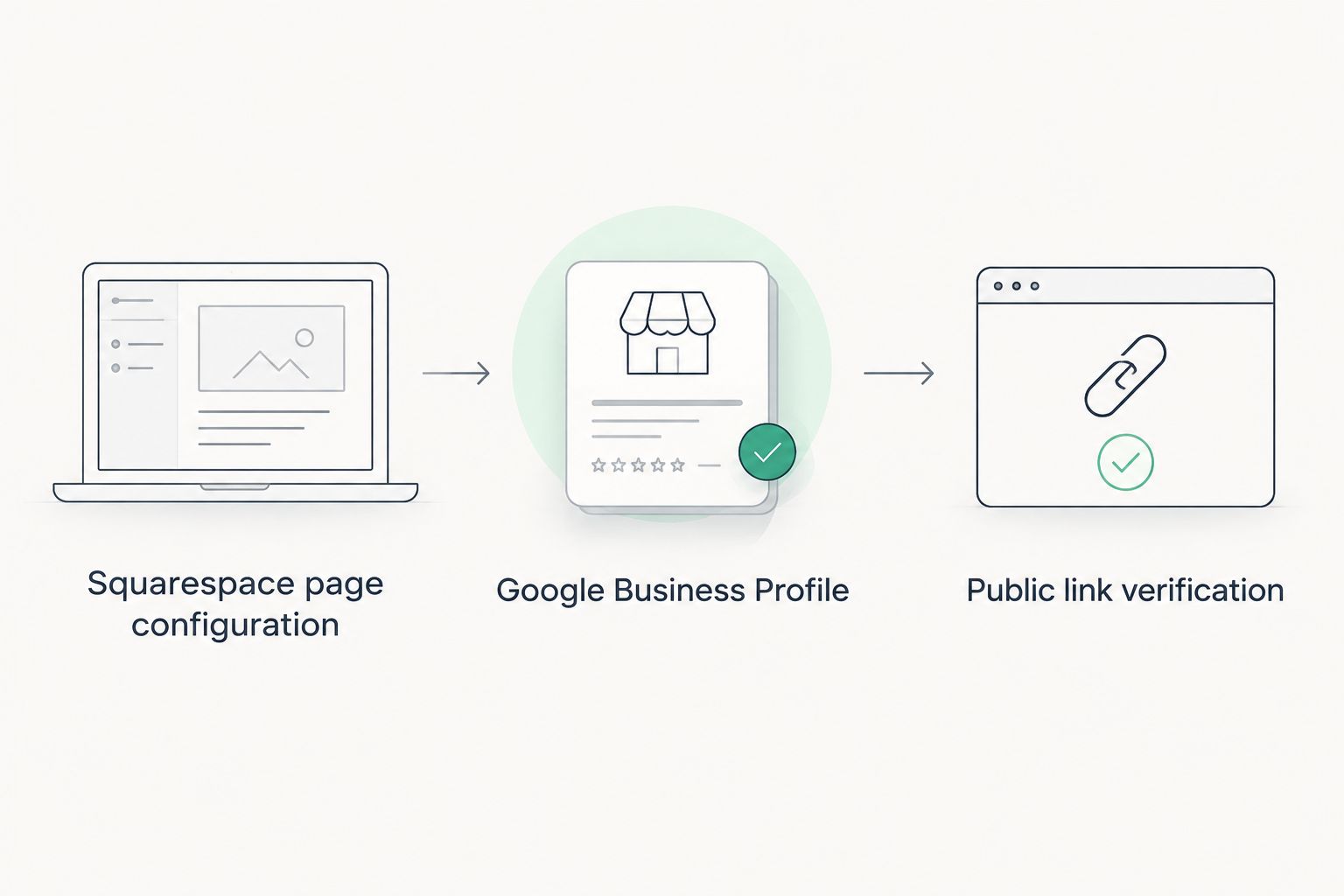
Squarespace page configuration
- Open the Squarespace website you intend to connect and select Pages.
- Open the destination page, then select Edit to review its content. State the business name and service clearly; include location information only where it accurately describes your operation.
- Give visitors a clear inquiry or booking action. Use descriptive button text rather than making visitors interpret a vague invitation.
- Select Save after making changes. Open the published page outside the editor and copy its public address from the browser.
Expected result: You have a public Squarespace page that explains the business and gives visitors a next step without requiring an account or password.
Check the destination on a phone before proceeding. Read the opening section, find the contact action, and try it yourself. A connection is not complete just because the page opens.
Google Business Profile website configuration
Google Business Profile provides the website field for this workflow. You do not need to paste Google account credentials into Squarespace or install a connector just to add your website address.
The labels below refer to profile management through Google Search. Other management surfaces can arrange the same information differently.
Google Business Profile configuration
- Sign in to the Google account that manages the correct business profile. Find the business in Google Search while signed in.
- Select Edit profile, then open Contact.
- Find Website and enter the published Squarespace address you tested. Check the full address, especially if you manage multiple sites or locations.
- Select Save. If Google shows the change as pending, wait for its review before treating the public listing as updated.
Expected result: The profile contains your intended website address, either published or awaiting Google's review. Saving the field does not guarantee immediate public display.
Keep the business identity consistent across the profile and destination page. A visitor should not have to work out whether the website belongs to the business they just found.
Bridgetbakerbranding's Squarespace website design and visibility coaching services address the website and visibility sides of this journey. The actual website connection remains a setting in your Google Business Profile.
Public link verification
- Open the public business listing outside the profile-management view. Follow its website action and confirm which page loads.
- Open the same destination on a phone. Check that navigation, text, and the main action remain usable.
- Follow the inquiry path through to its confirmation or next screen. If testing a form, identify your submission as a test.
Expected result: A visitor can move from the public Google listing to the correct Squarespace page and complete the intended next action.
Use these 3 verification checks after the initial connection and after a later destination change. Testing only inside the website editor misses problems that public visitors encounter.
Update the connection when your destination changes
A second useful workflow covers a website redesign or changed service-page address. Changing a Squarespace page does not automatically update the website field in Google Business Profile.
Separate content edits from address changes. Rewriting a page while keeping its public address does not require replacing the profile's website link; moving the page to a new address does.
For a 2026 redesign, put the profile check on your launch checklist rather than assuming the old link still reaches the right place.
- Publish and test the replacement page before changing the business profile.
- If you retired an old page address, configure the appropriate redirect in Squarespace and test the old address separately.
- Open Edit profile, then Contact, and replace the Website value with the final destination address.
- Select Save, check the update status, and repeat the public verification steps once the change appears.
Expected result: The business profile points directly to the intended destination, while visitors using an old address still have a working path where a redirect is appropriate.
A redirect and an updated profile link serve different purposes. The redirect protects old links; the profile update sends new visitors directly to the current page.
Keep a short maintenance record with the destination address and the date you last tested it. This is especially useful when a designer manages the site and someone else manages the business profile.
Troubleshooting
You cannot find the profile editing controls
Check which Google account is signed in. Viewing a public listing does not mean that account has permission to edit it.
Ask an existing profile owner to grant appropriate access. If the business already has a profile, resolve access to that listing rather than creating a duplicate to bypass the problem.
The website change is not visible publicly
Reopen the website field and confirm that the saved address is correct. Check whether Google marks the edit as pending or rejected.
A pending edit is not a failed Squarespace connection. Follow Google's review or correction process, and avoid repeatedly replacing the address while trying to force publication.
The destination opens an error or password screen
Open the exact address saved in the profile in a private browser window. This removes the benefit of being signed in to the website editor.
Confirm the page is published, publicly accessible, and spelled correctly. If its address changed, fix the profile destination and test any redirect independently.
The website opens, but inquiries fail
Test the next action rather than stopping at the landing page. Check the form confirmation, the submission destination, or the booking handoff, depending on your setup.
A working Google link does not prove that a form delivers messages. Treat the website visit and the inquiry as separate checks with separate outcomes.
You expected hours, reviews, or posts to synchronize
The website field only supplies a destination. Editing Squarespace content does not update your business hours, Google reviews, profile photos, or posts.
Manage those items in Google Business Profile. Adding a map to a website also does not establish ownership of the listing or create a content-sync connection.
Customize your workflow
Once the basic route works, improve what happens after the visit. Start with the page's purpose: a local prospect should understand the service and the next action without searching through unrelated material.
Use 2 separate maintenance checks: website accuracy and business-profile accuracy. One checks content and inquiry functionality; the other checks business details and the destination link.
For your 2026 maintenance routine, repeat those checks whenever you change your service, contact information, location arrangements, or website structure. The event matters more than an arbitrary calendar reminder.
If booking is your main conversion action, make sure the destination explains the appointment before handing visitors to a scheduler. Do not make the business profile's general website destination carry every possible task.
Keep the connection simple until you can identify a specific manual task that needs automation. A connector cannot fix an unclear offer, an ineligible listing, or a broken destination page.
FAQ
How do I connect Squarespace to Google Business Profile?
Add your published Squarespace address to the Website field in Google Business Profile. In Google Search profile management, select Edit profile, open Contact, update Website, and save; then test the public link after the change appears.
Does Squarespace automatically sync with Google Business Profile?
Adding your Squarespace website address does not create automatic synchronization. You still manage business hours, reviews, photos, and posts separately in Google Business Profile.
Can an online-only coach create a Google Business Profile?
An online-only coaching business is not eligible merely because it has a website. Google Business Profile generally requires qualifying in-person contact with customers, so check eligibility before creating a listing.
Should I link my homepage or a service page?
Use the page that most accurately represents the business and gives visitors a clear next step. A homepage suits a focused business; a relevant service page suits a more specific inquiry journey.
Do I need a plugin to connect my Squarespace website?
You do not need a plugin to add a Squarespace website address to Google Business Profile. The basic connection uses the profile's Website field and a publicly accessible destination page.
Why is my new website link not showing on Google?
The edit can remain pending while Google reviews it. Confirm the saved address and update status before changing it again, and verify the public listing separately from the management view.
Will connecting my website guarantee better local rankings in 2026?
Connecting your website does not guarantee better local rankings in 2026. It gives visitors a route to your website; accurate profile information and a useful destination remain separate responsibilities.
One last thing
A website connection can work technically while failing commercially. The link opens, but the visitor still cannot tell who you help or how to contact you.
Before calling your 2026 setup finished, read the destination as someone discovering your business for the first time. Bridgetbakerbranding serves coaches, speakers, authors, and founders through branding, Squarespace website design, and visibility coaching; your own page needs an equally clear statement of audience and service.